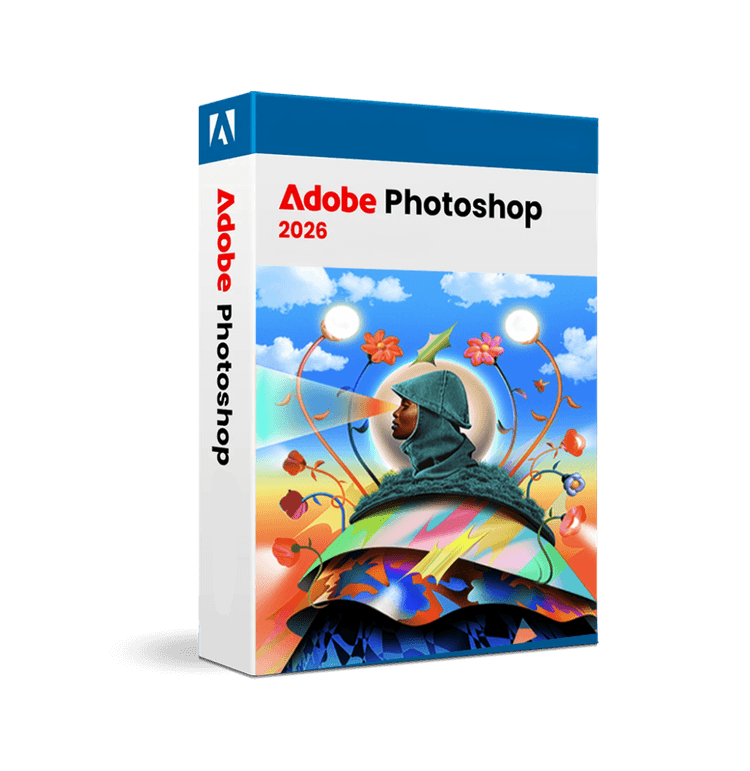
2026 verzió minden frissítéssel együtt:
AI-Powered Background Removal
On-device processing removes backgrounds with precision, capturing fine details without uploading to the cloud. Works on complex subjects with hair, textures, and intricate edges.
Harmonize for Instant Color Matching
Automatically matches color, lighting, and shadows between composite layers. Generates three variations so you choose the best result for your composition.
Generative Upscale with Topaz
Intelligently upscale images using Firefly, Topaz Gigapixel, or Topaz Bloom. Restores detail and sharpness lost during compositing or AI generation.
Multi-Model Generative Fill
Access Nano Banana, Flux, and other AI models directly in Photoshop. Generate realistic content, expand compositions, and fill areas with contextually aware results.
A licenc 5 perc alatt megérkezett, az aktiválás pofonegyszerű volt!
James W.
Ellenőrzött vásárló
Kiváló támogatás, lépésről lépésre végigvezettek.
Sarah M.
Ellenőrzött vásárló
Verhetetlen ár, 100% eredeti licenc.
Robert K.
Ellenőrzött vásárló
Hónapok óta minden tökéletesen működik. Köszönöm!
Emily T.
Ellenőrzött vásárló
3 perc alatt megérkezett a licenc az e-mailembe.
Michael P.
Ellenőrzött vásárló
Kifogástalan számlázás, valódi termékek.
Anna L.
Ellenőrzött vásárló
A licenc 5 perc alatt megérkezett, az aktiválás pofonegyszerű volt!
James W.
Ellenőrzött vásárló
Kiváló támogatás, lépésről lépésre végigvezettek.
Sarah M.
Ellenőrzött vásárló
Verhetetlen ár, 100% eredeti licenc.
Robert K.
Ellenőrzött vásárló
Hónapok óta minden tökéletesen működik. Köszönöm!
Emily T.
Ellenőrzött vásárló
3 perc alatt megérkezett a licenc az e-mailembe.
Michael P.
Ellenőrzött vásárló
Kifogástalan számlázás, valódi termékek.
Anna L.
Ellenőrzött vásárló
PHOTOSHOP 2026
Photoshop 2026 combines industry-leading photo editing with advanced AI capabilities, delivering smarter background removal, intelligent color harmonization, and generative tools that transform your creative workflow.
Letöltés a hivatalos oldalról
Eredeti Adobe szoftver
1 év érvényesség
Nincs előfizetés
Többnyelvű
Minden nyelv mellékelve
Elektronikus számla mellékelve
Vásárlás vállalkozásának
1 licenc 1 eszközre
(Egyszeri fizetés, nincs előfizetés)
Az ajánlat a készlet erejéig érvényes
licenc 1 PC-re, érvényes 1 év, eddig: 2027. június 21.
10 licenc azonnali kézbesítésre elérhető
Soddisfatti o rimborsati — 30 giorni
Garanzia totale: se non sei soddisfatto, ti rimborsiamo.

PHOTOSHOP 2026
Photoshop 2026 is Adobe's flagship image editing platform, now enhanced with cutting-edge AI technology that automates complex tasks while preserving creative control. Whether you're retouching photos, compositing images, or generating new content, this version streamlines your workflow with on-device AI processing, eliminating the need to send sensitive images to the cloud. It's the professional standard for photographers, designers, and creative professionals who demand precision and speed.
Features That Make the Difference
Photoshop 2026 introduces powerful AI-driven tools alongside refined traditional features, all designed to reduce repetitive work and enhance creative output:
- Improved Background Removal & Select Subject Now with on-device AI processing, these tools capture fine details and edges with unprecedented accuracy—no cloud upload required. Perfect for product photography, portrait work, and complex selections.
- Harmonize (Full Release) Automatically matches color, lighting, and creates realistic shadows between composite layers. Get three variations to choose from, saving hours of manual color grading.
- Generative Upscale with Topaz Integration Upscale images intelligently using Firefly, Topaz Gigapixel, or Topaz Bloom. Restores detail lost during compositing or generation with professional-grade results.
- Enhanced Generative Fill & Expand Access multiple AI models including Nano Banana and Flux directly in the main interface. Generate realistic content, expand compositions, and fill areas with contextually aware results.
- Color and Vibrance Adjustment Layer Now includes Temperature and Tint controls directly in adjustment layers. Fix white balance and create cinematic looks without opening Camera Raw.
- New Adjustment Layers Clarity, Dehaze, and Grain adjustment layers provide non-destructive control over contrast, haze reduction, and texture refinement.

Perfect For You If...
Photoshop 2026 serves professional photographers managing high-volume retouching, graphic designers building complex compositions, e-commerce teams removing backgrounds at scale, and creative studios leveraging AI to accelerate project timelines. It's ideal if you work with composite images, need precise color matching across layers, or want to reduce time spent on repetitive editing tasks. Whether you're a solo freelancer or part of a larger creative team, the combination of traditional editing power and modern AI capabilities addresses real workflow challenges.
The Concrete Advantages
Time savings are immediate: background removal that previously took minutes now completes in seconds with better accuracy. The Harmonize feature eliminates manual color grading across composite layers, reducing project timelines significantly. On-device AI processing means faster performance and complete privacy—your images stay on your computer. The integrated Topaz tools eliminate the need for external software, keeping your workflow unified within Photoshop. For teams, these efficiency gains translate directly to higher throughput and faster client delivery. The new adjustment layers provide non-destructive editing, meaning you can experiment freely without damaging original work. Combined, these features reduce both production time and the learning curve for complex tasks.
Why Choose This Software
Photoshop 2026 remains the industry standard because it balances powerful traditional tools with genuinely useful AI features—not gimmicks. The on-device processing sets it apart from competitors, offering speed and privacy. Integration with Topaz technology and multiple generative models gives you flexibility without leaving the application. Adobe's continuous updates ensure compatibility with emerging file formats like AVIF and JPEG XL. The combination of precision, reliability, and innovation makes it the choice for professionals who can't afford mistakes.

How You'll Use It In Practice
A product photographer shoots 50 items for an e-commerce catalog. Instead of spending 30 minutes per image on background removal, the improved Select Subject tool handles it in seconds with perfect edge detail. They use Generative Upscale to enhance product texture, then export in WebP format to reduce file sizes while maintaining quality. A graphic designer composites a magazine cover with multiple elements. They use Harmonize to match lighting across layers, instantly creating realistic shadows and color consistency that would normally require hours of manual adjustment. They experiment with three variations and choose the best one. A retoucher working on portrait series uses the new Temperature and Tint adjustment layers to establish a consistent color grade across all images, then fine-tunes individual shots without affecting the base adjustment.
Elégedett ügyfelek
Átlagos értékelés
Azonnali kézbesítés
Elérhető támogatás
Miért válasszon minket Noryx Media
Több mint 500 000 ügyfél bízik bennünk szoftverlicenceik vásárlásakor
Azonnali kézbesítés
Licencét a vásárlást követő 5 percen belül e-mailben megkapja. Nincs várakozás.
Ellenőrizhető licenc
A licenc ellenőrizhető a hivatalos Adobe oldalon
30 napos garancia
Nem elégedett? A vásárlást követő 30 napon belül teljes összeget visszatérítünk.
0–24 támogatás
Szakértői csapatunk mindig készen áll, hogy segítsen.
Biztonságos fizetések
SSL 256 bites titkosítás
Minden fizetést banki szintű titkosítás véd. Adatai biztonságban vannak nálunk.
Kiváló
15 000+ értékelés alapján